Showing posts with label Digital Design. Show all posts

Monday, 17 December 2012

Final Movie Poster


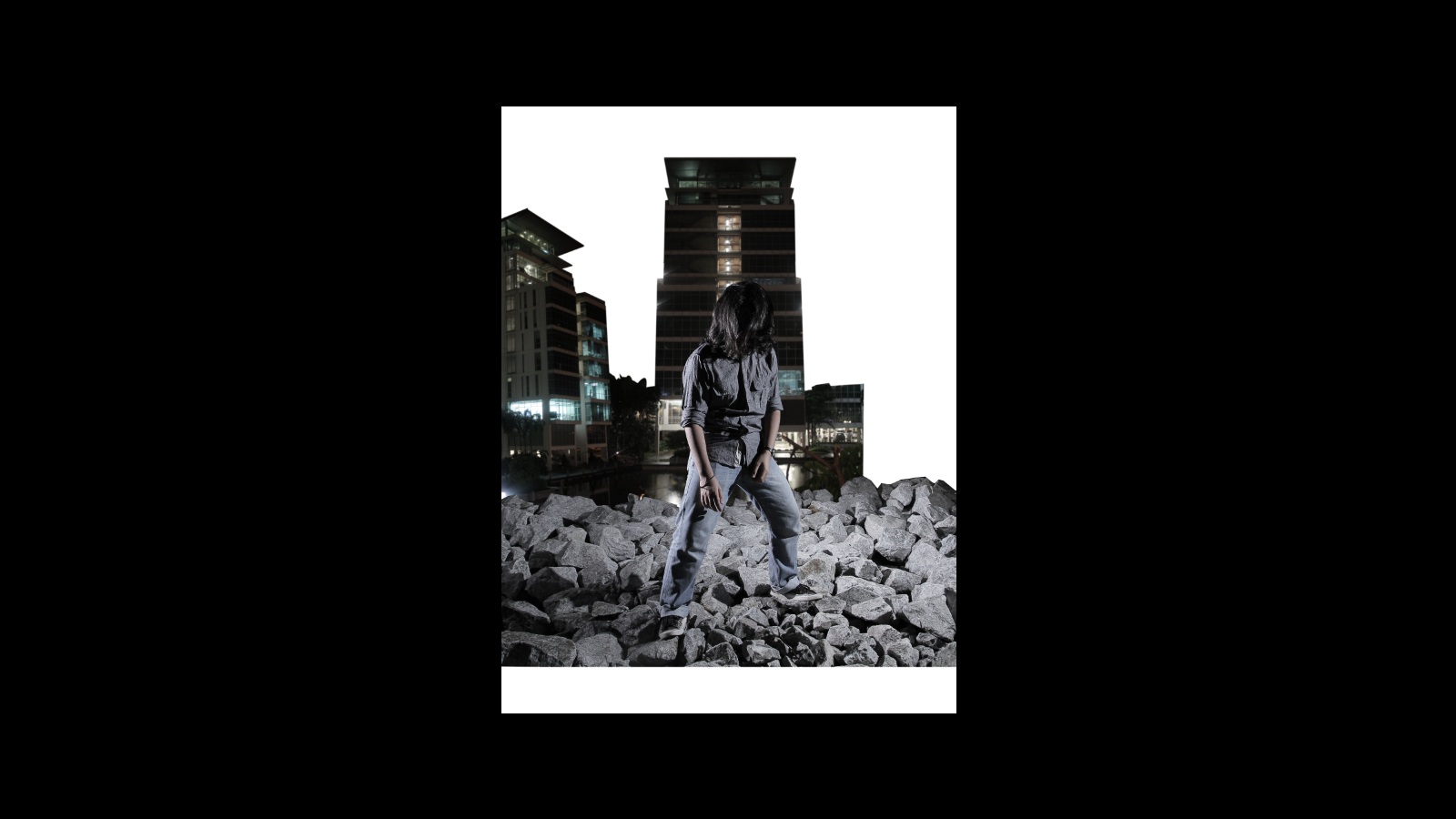
In the end, there were some minor changes from what I planned in the sketch such as the extra building in the background instead of eyes and the film title was placed on top instead of the bottom. The film is called "The C Project"

Movie Poster Progress


\


Movie Poster Sketch


I chose Synopsis C as the theme for the film. Synopsis C is about a student who has supernatural abilities and uses it to the character's advantage to gain popularity in school. This synopsis reminds me a lot of the film "Chronicle", directed by Josh Trank. The film is about 3 high school boys who found an unknown object that gives them telekinetic powers. With their newborn powers, the 3 boys used it for fun and mischief but it all gets worse when one of them starts abusing their own power.


In one of the final theatrical poster, it shows the main character is trying to stop a very explosive force in front of him. The scene in this poster reflects the very final conflict in the film where two of the 3 friends fought against each other using their powers in downtown Seattle.


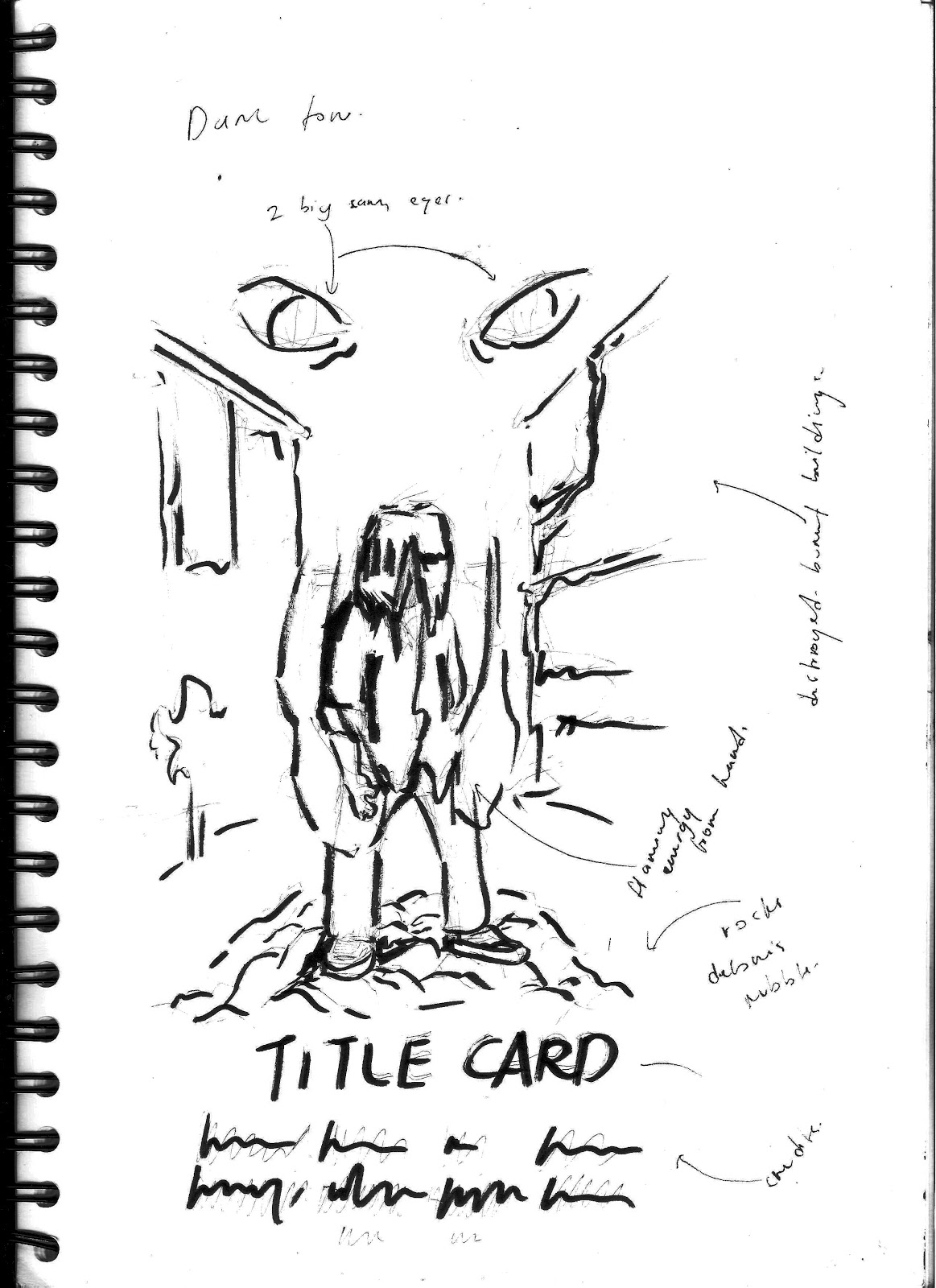
For my movie poster, I've decided to chose for a chaotic themed scene just like "Chronicle". It'll be the main character standing in on top of rubble and debris in the rain, a destroyed campus building at the back and me with glowing aura emitting from both hands.  The color will be quite desaturated and it will have a very dark and chaotic light setting.

Tuesday, 23 October 2012

Matching the lighting of the house


Use haunted house image.


Make the selection into a shape of a window. Use eye-dropper tool to match the lighting.


Copy the layer.


Add dusty, metallic, dirty textures to the image. Use the blending options to turn the texture layer into Overlay. Reduce the opacity to soften the texture.

Sunday, 14 October 2012

3D Graphics

More Illustrator work. I am actually trying to get myself to work more with Illustrator, now that I know I can actually do these interesting graphics hehehe


Tuesday, 2 October 2012

Juice Bottle

Our Friday's lesson with Mr. Adam taught us on how to create a juice box label. Photoshop heavy and requires a few tricks with Illustrator. Tools used: Perspective, Warp, Crop and several others. In the end, the Mangosteen Juice bottle was created!

Shopping Mall Poster


Wednesday, 26 September 2012

HTML and Photoshop

For yesterday's lecture, Mr. Jeffrey gave us something new. Which is creating HTML files with links inside.

Add photo
Take any photo.


Create Selection with the Slice tool under Crop
I made 5 selections, Both eyes, my nose, mouth and goatee.


File > Save for Web and Devices
Settings for the image must be JPEG High, Format it to HTML and images, save it as index.html


Edit Slice Properties
For each slice that I've made, I add a website URL and the target


Save it again for Web and Devices
Once completed, we save it again as index.html and replace the previous files.


.
.
.


I opened the files in the USB disk that I saved in. When the file is opened, the browser starts up with the image in the browser. Finally, I clicked on my left eye and the browser opens a new page with my blog.
Sunday, 16 September 2012

The Lasso tool

I did not fully record everything that I've learned in this activity. Though we did meet new tools such as the Lasso Magnetic tool.


.
.
.
.
.


Friday, 14 September 2012

Creating a Movie Poster?

So we revised the Pen and Masking tool in Photoshop and for this little exercise, why not create a movie poster?


a bit of Pen tool...


then Layer Masking...


Crop...


match the Colour...


.
.
.
.
.
.
.
.
.
.
.
.
.
.
.
.


WIN
                   

Wednesday, 12 September 2012

Pen tool.

7/9/2012
On last Friday's lecture, we explored the use of the Pen tool, Liquify and Free Transformation.


The first activity of the week.


The first activity in Digital Design class. In 2 hours, we've been taught how to use basic tools in Photoshop such as the Patch tool, Dodge tool and Layer Masking.